Connectors
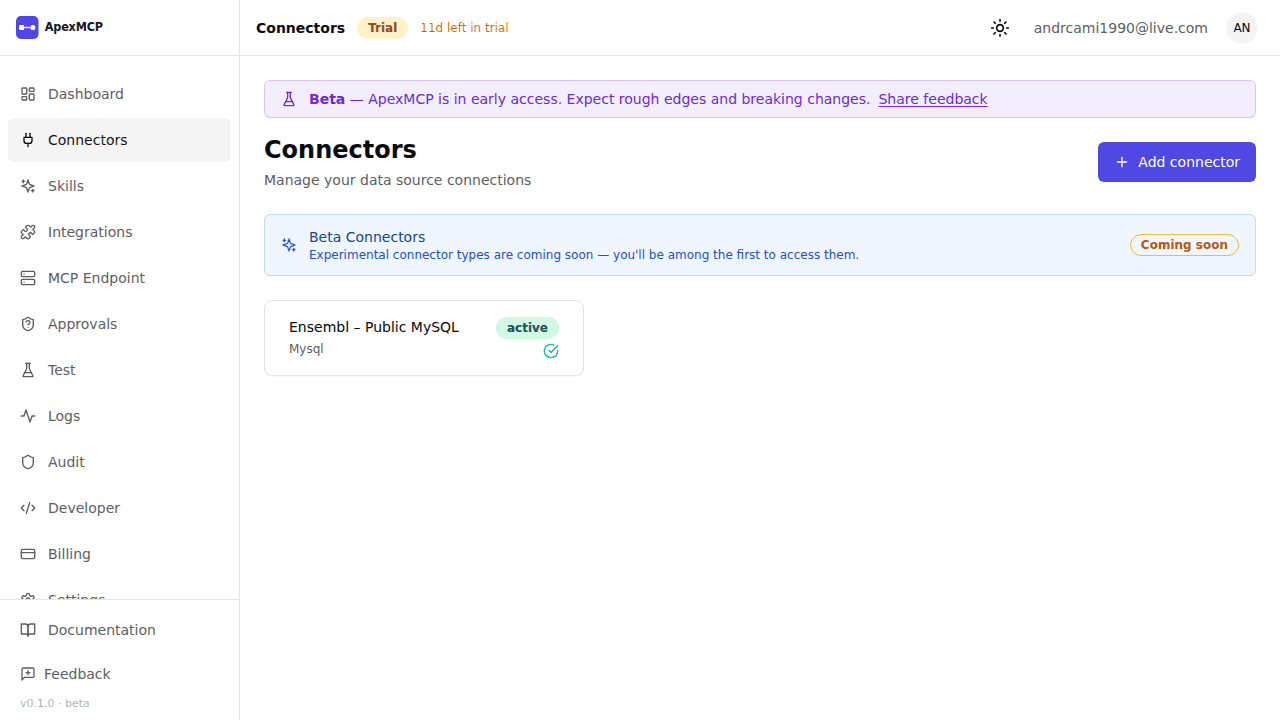
Connectors are the bridge between ApexMCP and your data sources. Each connector you add automatically generates a set of MCP tools that AI agents can call.
Supported Connector Types
Relational databases
| Type | Description |
|---|---|
| PostgreSQL | Query tables, views, and stored functions |
| MySQL | Query tables and views |
| Oracle | Query tables and views (thin client) |
| MSSQL | Query tables, views, and procs (Azure SQL + on-prem) |
Data warehouses & big data
| Type | Description |
|---|---|
| Snowflake | Query warehouses, databases, and schemas |
| Databricks | Query Delta tables via SQL warehouse endpoints |
| Hadoop (Hive) | Query Hive tables via HiveServer2 |
Document & object stores
| Type | Description |
|---|---|
| MongoDB | Query collections; auto-discover schemas via sampling |
| S3 | List + read objects from AWS S3 buckets |
| GCS | List + read objects from Google Cloud Storage buckets |
APIs & web protocols
| Type | Description |
|---|---|
| REST | Call any HTTP endpoint; define operations as tools. Variants for Basic, OAuth2, and JWT auth |
| GraphQL | Schema-discovery introspection over GraphQL endpoints |
| gRPC | Call gRPC services (provide .proto schema) |
| Webhook | Receive inbound webhook calls and expose as agent-readable events |
Spreadsheets
| Type | Description |
|---|---|
| Google Sheets | Read and write spreadsheet ranges |
| Excel (OneDrive) | Read and write Excel workbooks via Microsoft Graph |
MCP proxy
| Type | Description |
|---|---|
| External MCP | Mount any external MCP server as a connector. ApexMCP becomes a governance layer in front of it — adds API-key auth, per-org rate-limit, audit log, credential injection, and per-tool blocklist. See External MCP Connector. |
Adding a Connector
- Go to Connectors → New Connector in the dashboard
- Select the connector type
- Fill in connection details (host, port, credentials, etc.)
- Click Test Connection to verify
- Click Save — schema discovery runs automatically
PostgreSQL Example
Type:     PostgreSQL
Host:     db.example.com
Port:     5432
Database: mydb
Username: apexmcp_ro
Password: ••••••••••
SSL:      Required
For least-privilege, create a dedicated read-only database user:
CREATE USER apexmcp_ro WITH PASSWORD 'strongpassword';
GRANT CONNECT ON DATABASE mydb TO apexmcp_ro;
GRANT USAGE ON SCHEMA public TO apexmcp_ro;
GRANT SELECT ON ALL TABLES IN SCHEMA public TO apexmcp_ro;
ALTER DEFAULT PRIVILEGES IN SCHEMA public GRANT SELECT ON TABLES TO apexmcp_ro;
Credential Storage
All connector credentials are encrypted at rest using AES-256-GCM inside the Credential Vault service. The encryption key is stored separately from the ciphertext. Credentials are:
- Never returned via API after initial save
- Decrypted in-memory only when executing a tool call
- Rotatable — update credentials without changing the connector ID or regenerating tools
Schema Discovery
After saving a connector, ApexMCP introspects the data source and generates MCP tool definitions:
- SQL databases: one tool per table/view with a
sqlparameter for safe parameterised queries - REST APIs: one tool per defined operation
- Google Sheets:
read_rangeandwrite_rangetools per spreadsheet - gRPC: one tool per service method
Tools are named {action}_{connector_type}_{resource}, e.g.:
query_postgres_ordersread_sheets_q1_pipelinecall_grpc_user_service_get_user
Re-run schema discovery at any time via Connectors → [name] → Refresh Schema.
Connector-Level Scope Restriction
Limit an API key or OAuth client to a specific connector using the scoped format:
mcp:call:<connector-id>Example: restrict an agent to only the reporting database:
# OAuth token scoped to one connector
curl -X POST https://gateway.apexmcp.ai/oauth/token \
  -d "grant_type=client_credentials" \
  -d "client_id=apx_client_xxxxxxxx" \
  -d "client_secret=apx_secret_xxxxxxxx" \
  -d "scope=mcp:call:conn_01j9x8k2m3n4p5q6r7s8t9u0v1"
The returned token can only call tools from that specific connector. All other tools return a 403 with error code -32003 (insufficient scope).
Connector Status
Connectors show real-time health in the dashboard:
| Status | Meaning |
|---|---|
healthy | Last connection test passed |
degraded | Intermittent errors in last 5 minutes |
unreachable | Cannot connect; check credentials and network |
discovering | Schema discovery in progress |