Billing & Plans
Go to Billing in the sidebar (Admin and Finance roles).
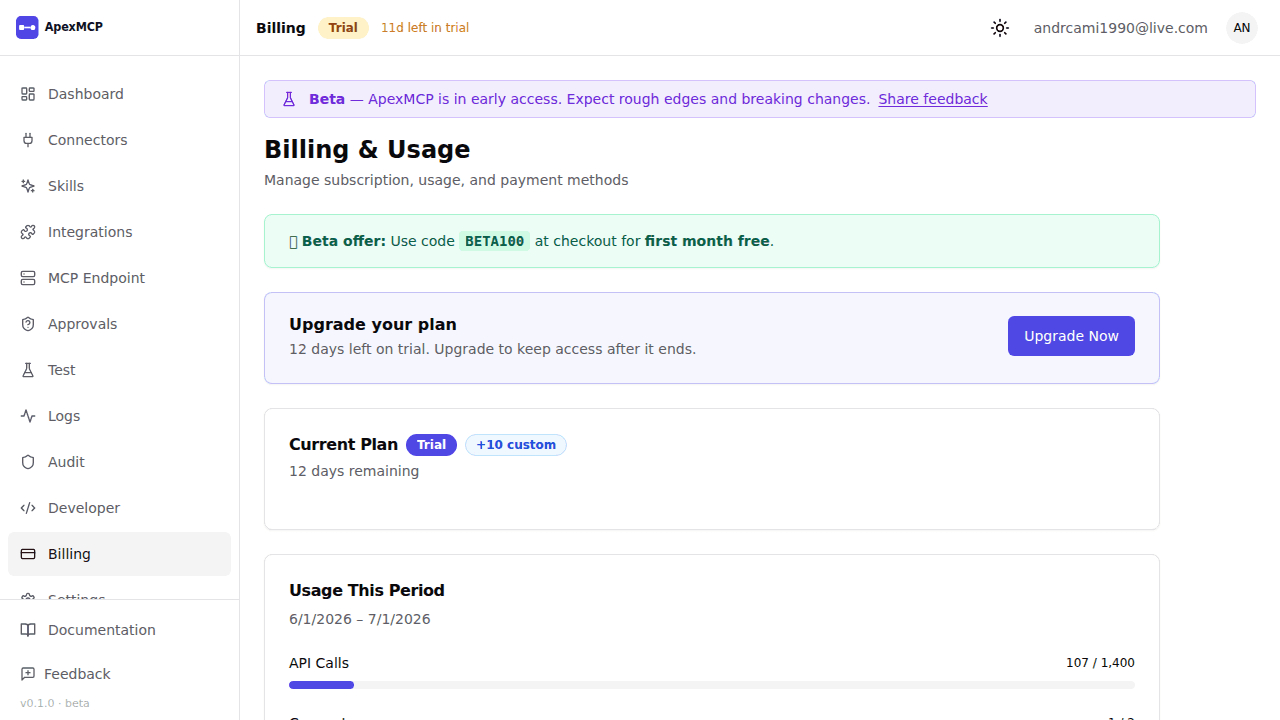
Plans
Every plan includes your MCP endpoint and the full connector library. Pricing is agreed with our team per organisation — contact sales@apexmcp.ai for a quote.
| Plan | Connectors | Tool calls / month | Burst |
|---|---|---|---|
| Starter | 5 | 20,000 | 20/s |
| Growth | 15 | 50,000 | 50/s |
| Scale | 50 | Unlimited | 100/s |
| Enterprise | Unlimited | Unlimited | Custom |
| Standalone | Unlimited | Unlimited | Custom |
Feature availability by tier:
| Feature | Starter | Growth | Scale | Enterprise |
|---|---|---|---|---|
| Audit logs | ✓ | ✓ | ✓ | ✓ |
| Webhooks | ✓ | ✓ | ✓ | ✓ |
| Developer portal | ✓ | ✓ | ✓ | ✓ |
| MCP versioning | ✓ | ✓ | ✓ | ✓ |
| Usage export | — | ✓ | ✓ | ✓ |
| IP allowlist | — | ✓ | ✓ | ✓ |
| SSO / BYOIDP | — | ✓ | ✓ | ✓ |
| Allowed email domains | — | ✓ | ✓ | ✓ |
| SCIM provisioning | — | — | — | ✓ |
| Custom SLA | — | 99.9% | 99.95% | 99.99% |
Trial
New organisations start on a 14-day trial with Growth plan features. No credit card required.
Plans are not self-serve — there is no in-app checkout. To continue after your trial ends, contact sales@apexmcp.ai. Our team sets you up on a plan and Stripe emails your org’s finance contact a hosted invoice with a payment link — no card-on-file required.
What happens when the trial ends
If your trial expires before a plan is set up (or a later invoice goes unpaid), your organisation is suspended: everyone hitting the dashboard sees a lock screen, and MCP tool calls are blocked until billing is resolved. Contact sales@apexmcp.ai to reactivate — there’s no self-serve way to unlock the org.
Usage
The Billing page shows your current usage for the billing period:
- Tool calls used — metered against your plan limit
- Active connectors — count against your connector limit
- Seats — active team members against your seat limit
If you hit your tool call limit, further calls return 429 Too Many Requests until the period resets. Contact sales@apexmcp.ai to move to a higher plan.
Invoices
Invoices are emailed by Stripe to your org’s billing contact, with a hosted payment link — no card-on-file required. Past invoices are also listed at the bottom of the Billing page; each links to a Stripe-hosted PDF.
By default the billing contact is your org’s admin email. To send invoices to a different address, set a Finance email in Settings (Admin role).
Enterprise Billing
Enterprise plans are invoiced annually. Contact sales@apexmcp.ai for a quote.