Settings
Go to Settings in the sidebar (Admin role).
Organisation
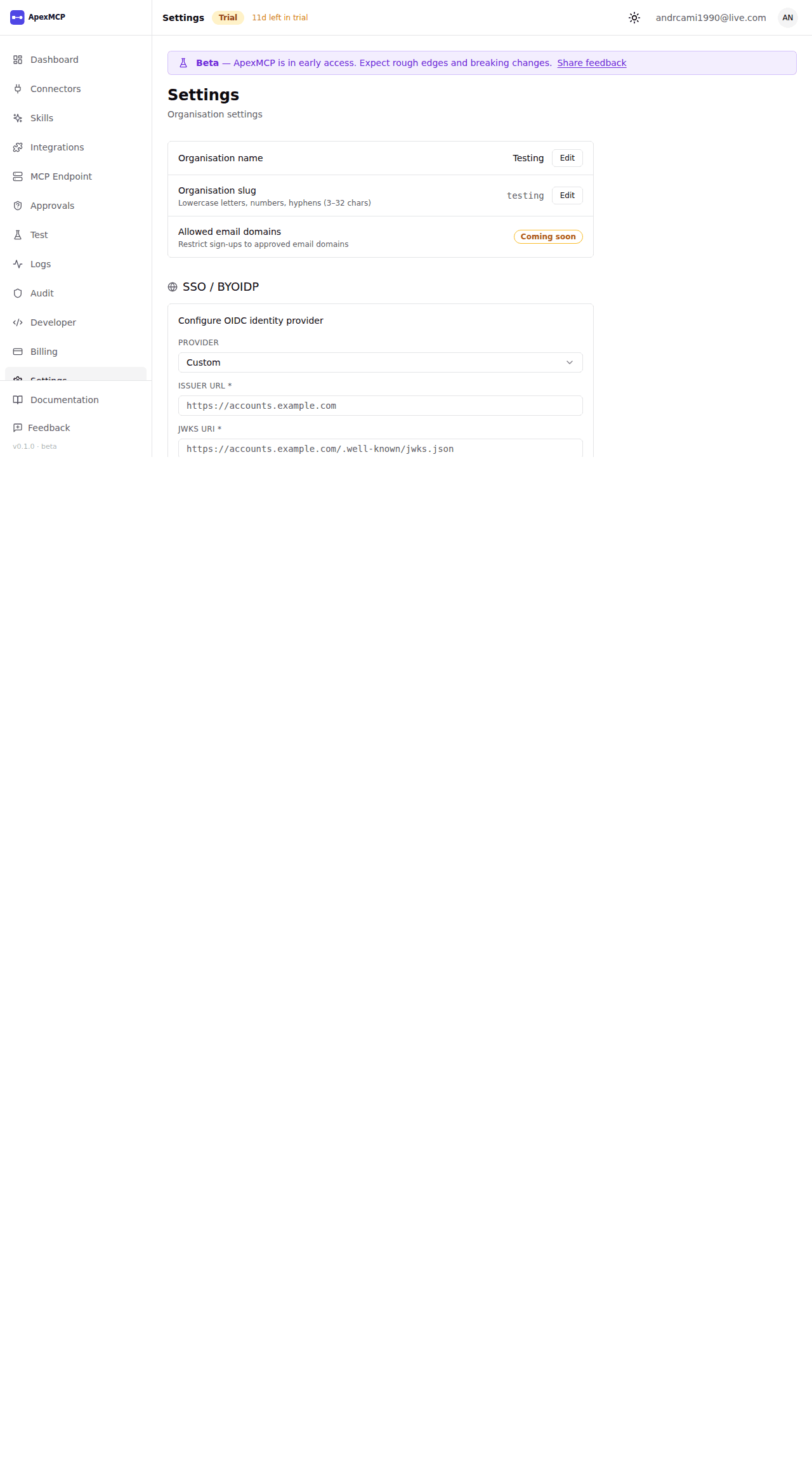
| Field | Description |
|---|---|
| Organisation name | Display name shown in the dashboard |
| Slug | URL-safe identifier used in your MCP endpoint URL — contact support to change |
API Keys
API keys authenticate requests to your MCP endpoint.
Create a Key
- Click New API Key
- Enter a descriptive name (e.g.
claude-prod,staging-agent) - Copy the key — shown once only
Revoke a Key
Click Revoke next to the key. Takes effect immediately. Agents using the key will receive 401 Unauthorized.
Rotating keys: create the new key first, update your agent config, then revoke the old key.
OAuth Clients
OAuth clients allow Claude.ai and other MCP-compliant tools to connect to your endpoint using the OAuth 2.1 authorization code flow (no API key needed).
Connecting Claude.ai
See Connect ApexMCP to Claude.ai for the full walkthrough. No manual client registration is required — Claude.ai registers itself automatically via Dynamic Client Registration (DCR).
Refresh token lifetime
Control how long Claude.ai stays connected before re-authentication is required.
Developer Portal → OAuth Clients → Refresh token lifetime
| Option | Duration |
|---|---|
| Default | 30 days |
| Short | 1 day |
| Medium | 7 days |
| Long | 90 days |
Changes apply to new tokens only. Existing sessions are unaffected until their current refresh token expires or is revoked.
Revoking access
Deleting an OAuth client or creating a new one immediately revokes all refresh tokens for your organisation. Claude.ai will be prompted to re-authorise on its next request. Active access tokens remain valid for up to 1 hour after revocation.
Security
Multi-Factor Authentication
MFA can be enforced org-wide by admins. When enabled, all members must have MFA configured on their account before they can access the dashboard.
To enforce: Settings → Security → Require MFA → Enable.
Members without MFA will be blocked at login and prompted to set it up.
IP Allowlist
Restrict dashboard and MCP endpoint access to specific IP addresses or CIDR ranges.
To add an allowlist: Settings → Security → IP Allowlist → Add Range.
Requests from IPs not on the list receive 403 Forbidden.
Warning: If you add your own IP incorrectly, you may lock yourself out. Always verify your IP before saving.
Session Timeout
Configure how long inactive sessions remain valid. Default: 8 hours. Range: 15 minutes to 30 days.
Identity Provider (Enterprise)
Enterprise plans can connect a custom identity provider (Okta, Azure AD, Auth0, etc.) via OIDC.
See Authentication → Custom Identity Provider for setup.
Danger Zone
Delete Organisation
Permanently deletes the org, all connectors, all API keys, all team members, and all audit logs. This cannot be undone.
Only the org admin (owner) can trigger deletion. You will be asked to type the org slug to confirm.