Connectors
A connector is a connection to a data source. Once added, ApexMCP generates MCP tools from it that your AI agent can call.
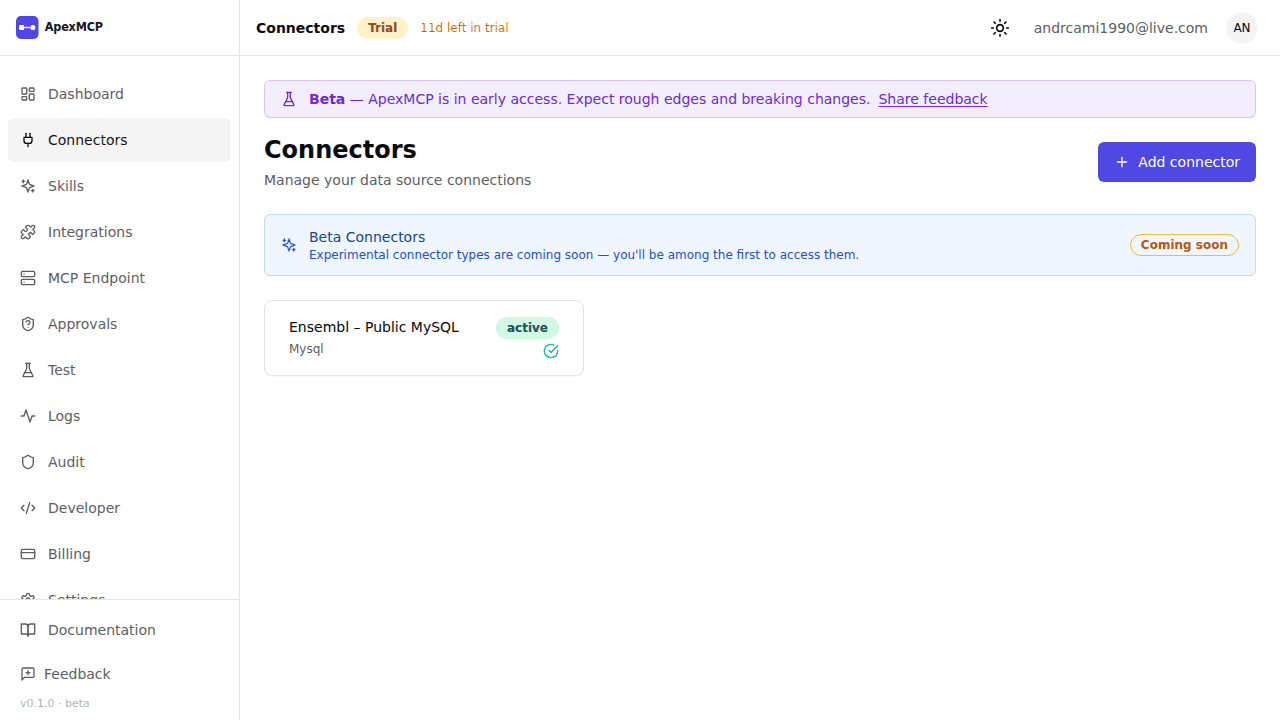
Adding a Connector
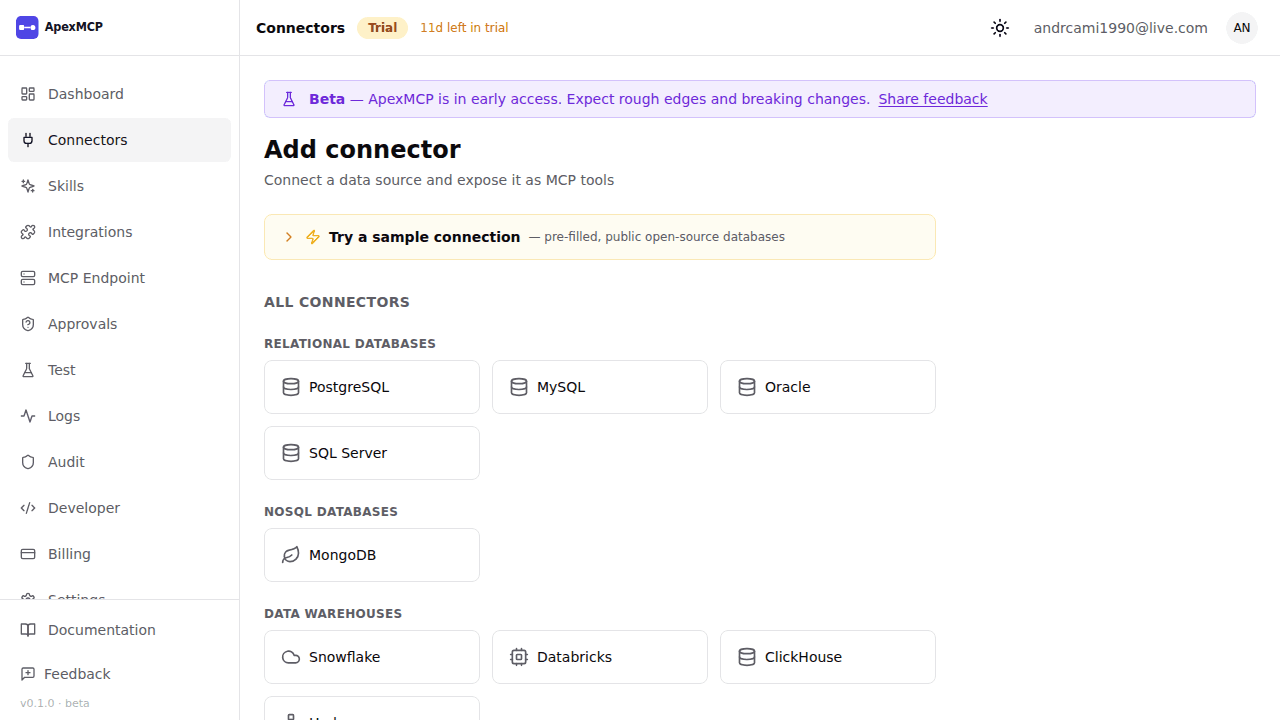
Go to Connectors → New Connector and select a type.
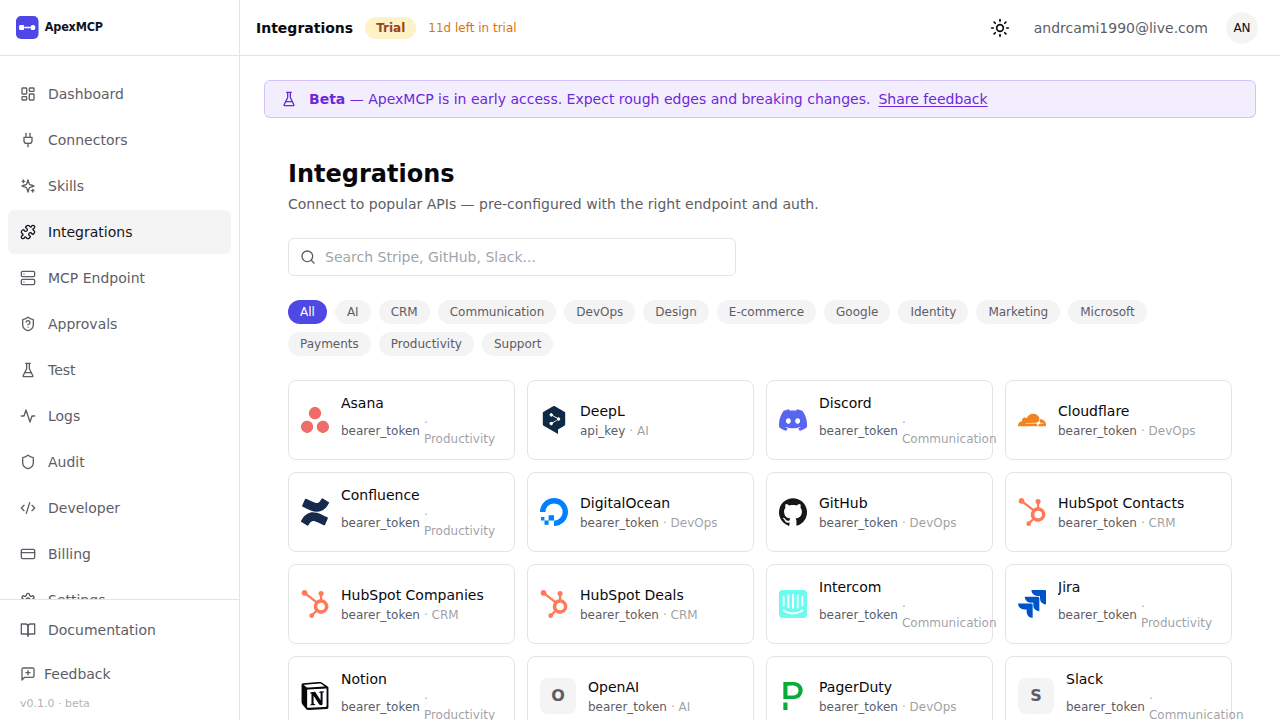
Browsing a curated provider? The Integrations catalog pre-fills the form for popular sources.
All credentials you enter are encrypted and stored in a secure vault. They are never returned in API responses.
PostgreSQL
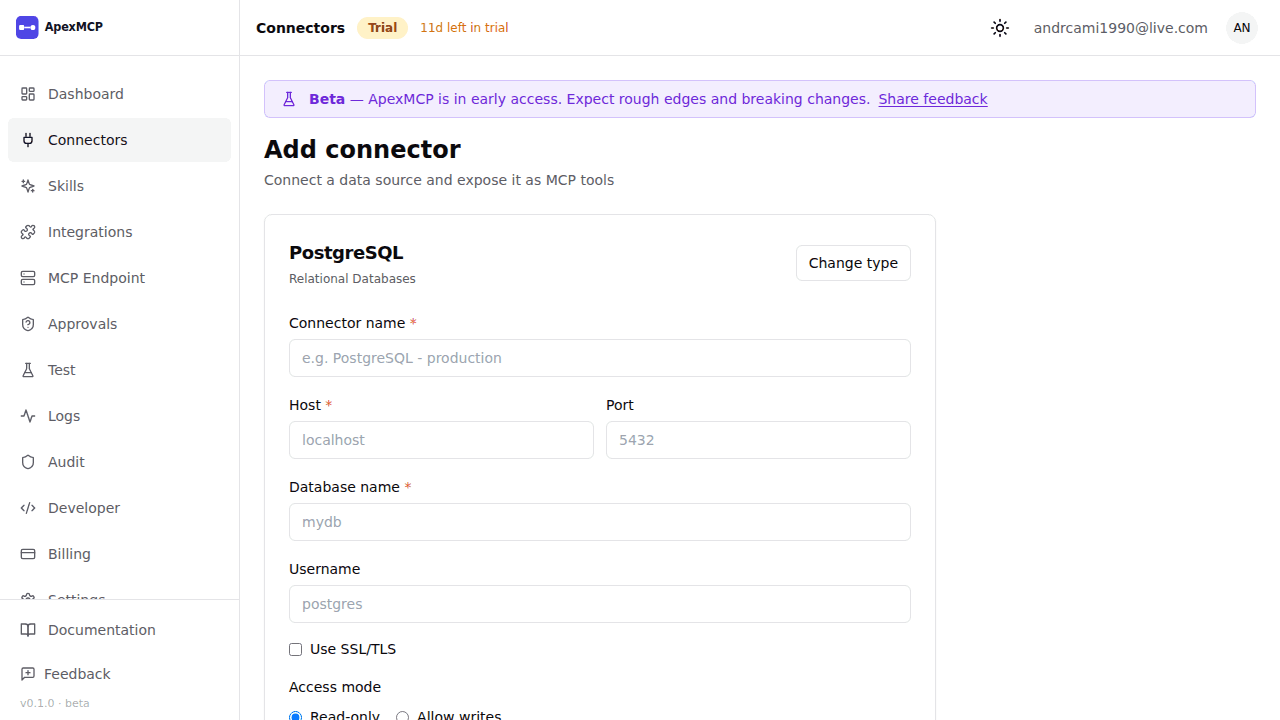
| Field | Description |
|---|---|
| Name | Friendly name, becomes part of the tool name (e.g. query_postgres_mydb) |
| Host | Database hostname or IP |
| Port | Default: 5432 |
| Database | Database name |
| Username | DB user with SELECT access |
| Password | Stored encrypted, never returned |
| SSL | Enable for production databases |
Click Test Connection before saving. ApexMCP will verify connectivity and run schema discovery, enumerating all tables and views the user has SELECT on.
Tools generated: one query_postgres_<name> tool per table/view selected.
MySQL
Same fields as PostgreSQL. Default port 3306.
Tools generated: one query_mysql_<name> tool per table/view selected.
MongoDB
| Field | Description |
|---|---|
| Name | Friendly name |
| Connection URI | Full MongoDB URI, e.g. mongodb+srv://user:pass@cluster.mongodb.net/dbname |
Tools generated:
mongodb_<name>_find(collection, filter?, projection?, limit?)— find documentsmongodb_<name>_aggregate(collection, pipeline)— run an aggregation pipeline
REST API
REST connectors support three authentication modes. You can also start from a sample OpenAPI spec:
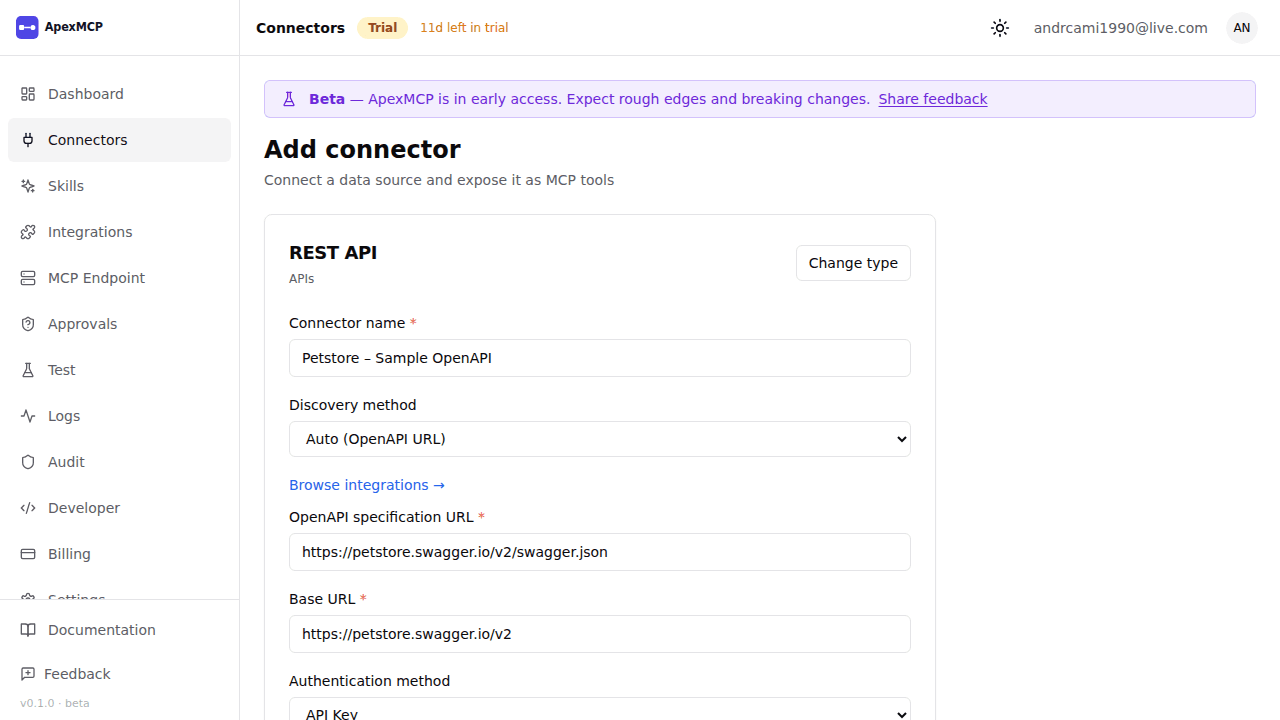
No Auth / API Key Header
| Field | Description |
|---|---|
| Name | Friendly name |
| Base URL | API root, e.g. https://api.example.com/v1 |
| Auth type | None, or API Key (adds a fixed header) |
| Header name | e.g. X-API-Key |
| Header value | Key value (stored encrypted) |
HTTP Basic Auth
| Field | Description |
|---|---|
| Username | Basic auth username |
| Password | Basic auth password (stored encrypted) |
OAuth2 Client Credentials
ApexMCP fetches a token automatically before each tool call and caches it until expiry.
| Field | Description |
|---|---|
| Token URL | OAuth2 token endpoint |
| Client ID | OAuth2 client ID |
| Client Secret | Stored encrypted |
| Scope | Space-separated scopes (optional) |
JWT (HS256 per-request)
ApexMCP mints a short-lived (60s) JWT for each tool call, signed with your secret.
| Field | Description |
|---|---|
| JWT Secret | Signing key (stored encrypted) |
Issuer (iss) | JWT issuer claim |
Audience (aud) | JWT audience claim |
Tools generated: endpoint-based tools discovered from the API schema, or manually configured.
GraphQL
| Field | Description |
|---|---|
| Name | Friendly name |
| Endpoint URL | GraphQL endpoint, e.g. https://api.example.com/graphql |
| Auth type | None, Bearer token, or API key header |
| Discovery method | introspection (auto, default) or manual |
With introspection, ApexMCP runs schema discovery and registers a <name>_discover_schema tool plus a graphql_<name>_query(query, variables?) tool.
Note: If your GraphQL server redirects (301/302), ApexMCP follows redirects correctly and re-POSTs the request body.
AWS S3 / S3-Compatible
Works with AWS S3, MinIO, Backblaze B2, Cloudflare R2, and any S3-compatible storage.
| Field | Description |
|---|---|
| Name | Friendly name |
| Bucket | Bucket name |
| Region | AWS region (e.g. us-east-1) |
| Endpoint URL | Custom endpoint for S3-compatible stores (leave blank for AWS) |
| Access Key ID | AWS/compatible access key |
| Secret Access Key | Stored encrypted |
Tools generated:
s3_<name>_list_objects(prefix?, limit?)— list objects in the buckets3_<name>_get_object(key)— retrieve object content (1 MB cap)
Google Cloud Storage
| Field | Description |
|---|---|
| Name | Friendly name |
| Bucket | GCS bucket name |
| Service Account JSON | Full service account key JSON (stored encrypted) |
Tools generated:
gcs_<name>_list_objects(prefix?, limit?)— list objectsgcs_<name>_get_object(name)— retrieve object content (1 MB cap)
Google Sheets
| Field | Description |
|---|---|
| Name | Friendly name |
| Sheet ID | The ID from the Google Sheets URL |
| API Key | For public sheets — no OAuth needed |
| Access Token | For private sheets — OAuth2 bearer token |
Tool generated: google_sheets_<name>_read(range?) — reads sheet data.
Inbound Webhook
Receives events from external systems (e.g. Stripe, GitHub, your own services) and makes them queryable by your agent.
| Field | Description |
|---|---|
| Name | Friendly name — becomes the endpoint slug |
| Secret | HMAC-SHA256 signing secret |
| Event buffer | Max events to retain (default 100, max 10,000) |
External systems POST events to:
POST https://gateway.apexmcp.ai/webhooks/inbound/<connector-slug>The payload must include the signature header for HMAC verification.
Tool generated: webhook_<name>_recent_events(limit?) — returns the most recent N events (default 10, max 100).
External MCP Server
Proxies agent tool calls to your own MCP server. Useful for custom tools you’ve built yourself.
| Field | Description |
|---|---|
| Name | Friendly name |
| Server URL | Your MCP server’s base URL |
| Auth type | None, Bearer token, or API key |
| Token / API Key | Stored encrypted |
All tools from your external server are namespaced under <connector-slug>_<tool-name> to avoid collisions.
Managing Connectors
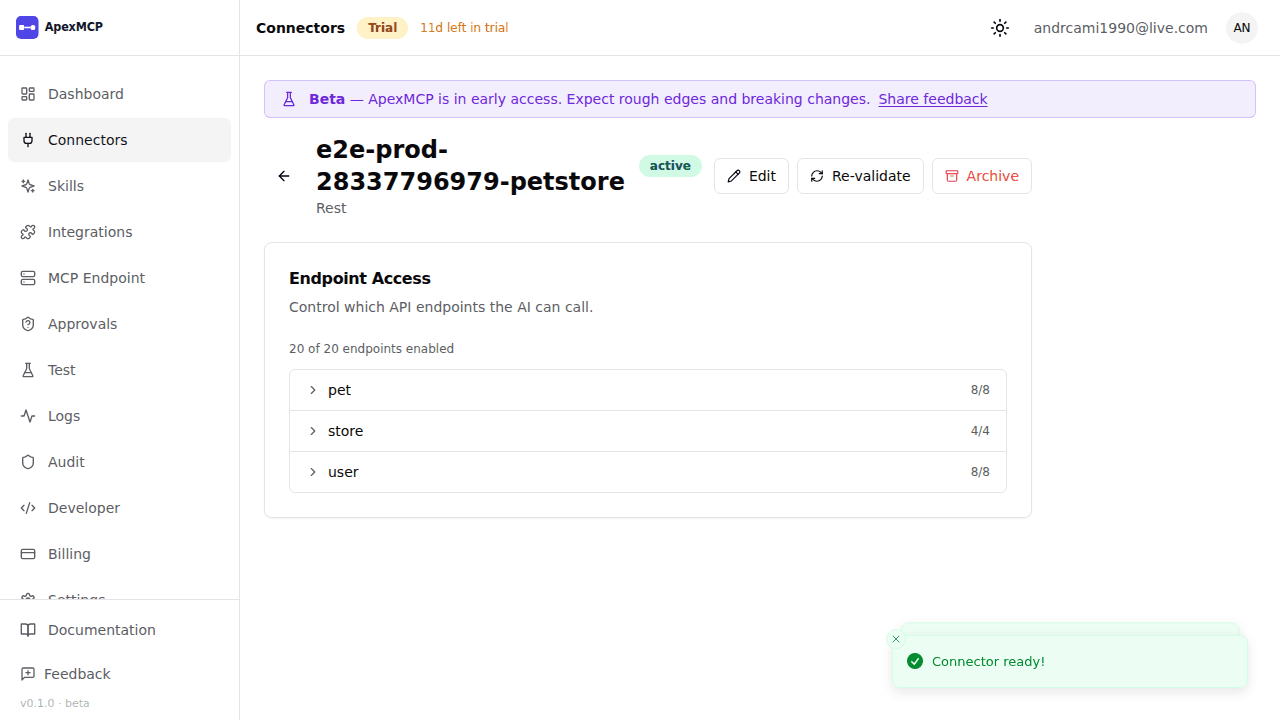
From the Connectors list you can:
- Test — re-run the connection test at any time
- Edit — update config (credentials can be re-entered but are not shown)
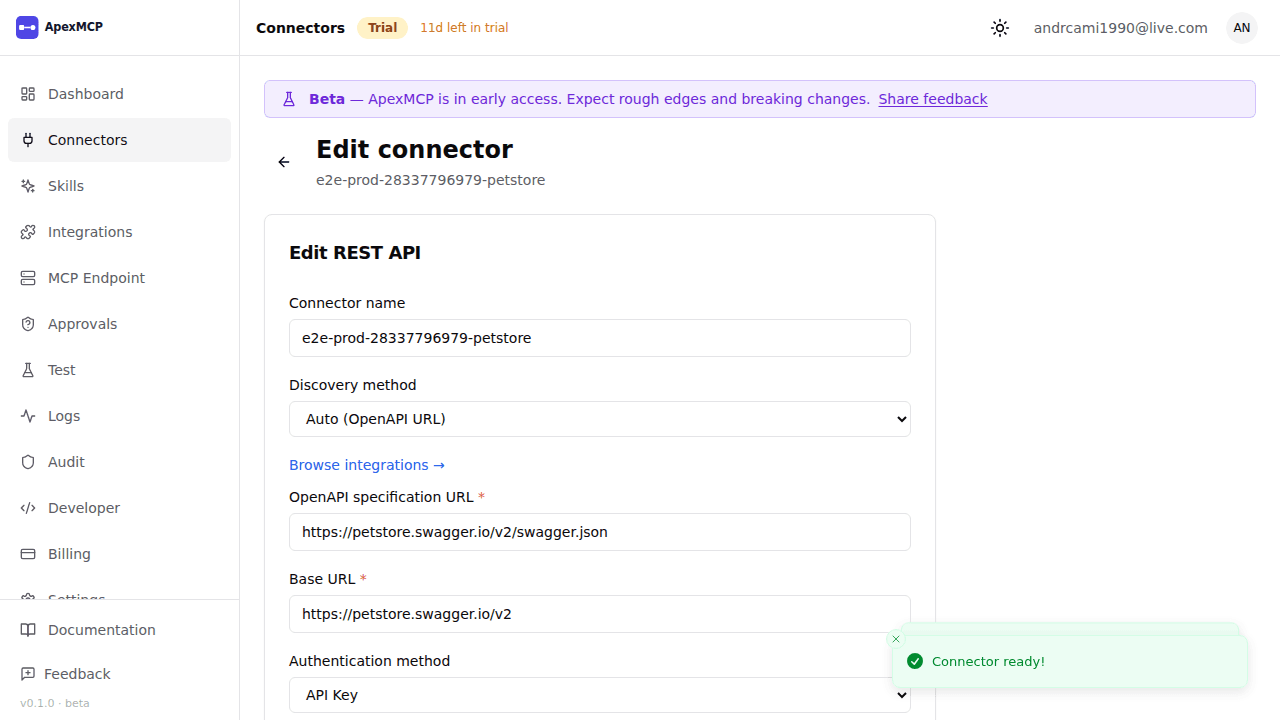
- Archive — disables the connector and removes its tools from the MCP endpoint. Archiving is reversible.
Archived connectors no longer count toward your plan’s connector limit.